December 1, 2025
Smart inspection questions for better quality
The quality of inspection data starts with clear questions. Discover how to build inspections that are smarter, faster, and more reliable.
When organizations digitalize inspections, the focus often falls on features, reports, and workflows. Yet a reliable inspection process starts with something much more fundamental: the way questions are written.
A well-designed question determines what someone records and how useful that information will be later. Clear inspection questions reduce interpretation, speed up inspections, and produce reports you can rely on.
In this blog, we explain why the structure of inspection questions matters and how to build digital inspections that are practical and easy to use.
Why clear inspection questions matter
In many organizations, inspections are performed by multiple employees, across different locations, and sometimes under significant time pressure. When a question leaves room for interpretation, two employees may assess the same situation differently.
This often leads to:
- inconsistent records;
- unclear reports;
- different assessments of the same situation;
- additional corrective work afterward;
- more difficult audits and quality checks.
A question such as “Is the installation in good condition?” sounds simple, but it is not very specific. What exactly does “in good condition” mean? Which components need to be checked?
A more concrete question, such as “Is the guard correctly installed and free from damage?”, makes it immediately clear what the employee needs to inspect.
The more specific the control point, the more consistent the registration.
What makes a good inspection question?
A strong inspection question:
- is short and clear;
- contains one control point;
- leaves little room for interpretation;
- matches the user's working environment;
- leads to a consistent answer.
By structuring questions logically, you create more consistent data. This makes reports more reliable and makes it easier to identify trends or recurring deviations.
Choose the right answer type
Not every control requires the same type of answer. Choosing the right answer type for each control makes inspections both faster and more accurate.
Yes/no questions for simple controls
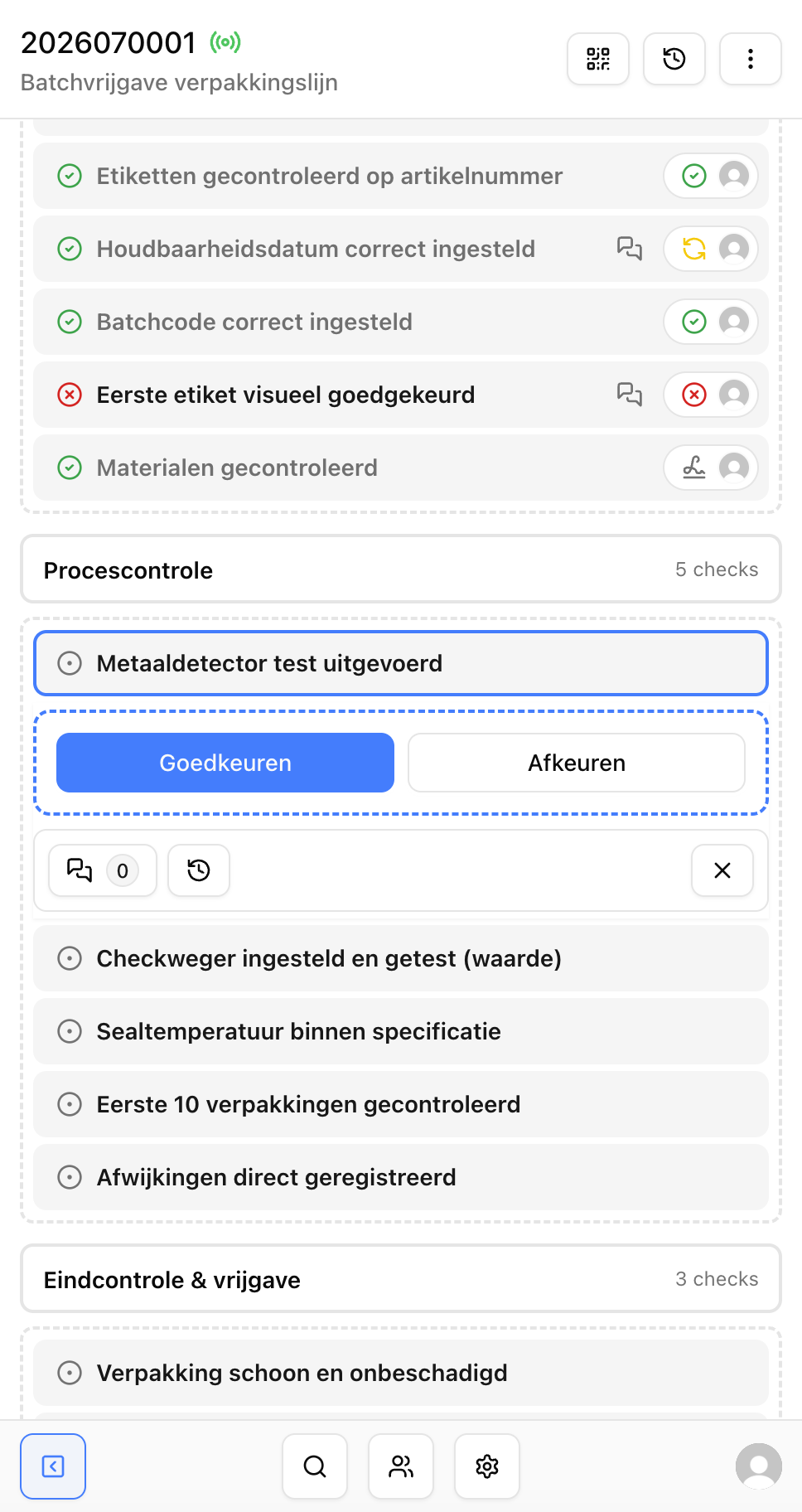
A yes/no question is ideal when you need to quickly record whether something meets the requirements.
Examples include:
- Is the emergency stop accessible?
- Is the safety sticker present?
- Is the work area free of obstacles?
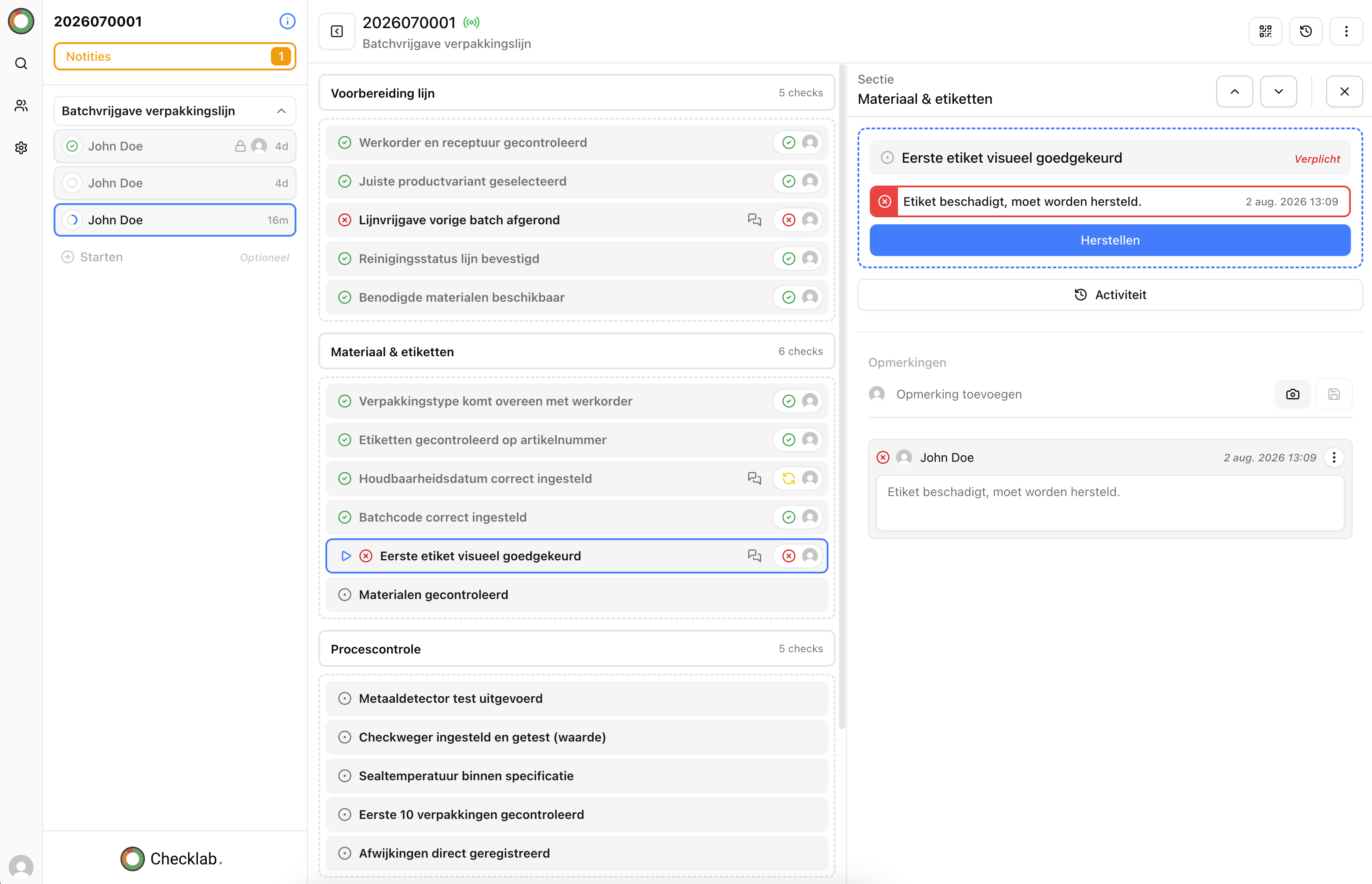
When someone selects “No”, you can automatically require an explanation or photo.
Multiple-choice questions for more detail
Multiple-choice questions are useful when several situations are possible. For example:
- Good;
- minor deviation;
- major deviation;
- not assessed.
This provides more detail than a simple “yes” or “no” and makes analyses and reports more valuable. Use predefined options so employees consistently use the same terminology.
Numeric input for measurements
Use numeric input when an inspection involves measurements, such as:
- temperature;
- pressure;
- voltage;
- dimensions;
- resistance.
By adding minimum and maximum limits, deviations can be identified automatically. Employees do not have to decide manually whether a measurement is within the required range.
Photos as required evidence
Photos are valuable for deviations, damage, handovers, and audits. A photo makes the situation clear to colleagues who were not present on site and helps prevent discussions afterward.
For example, you can require a photo whenever a control is rejected. This creates a complete record containing both the result and the supporting evidence.
Use smart follow-up questions
A common mistake is making inspection forms too long and difficult to navigate. Employees then see questions that are not relevant to their situation.
With smart follow-up questions, you only show additional questions when they are needed.
For example:
Is there any damage? — No
The employee immediately continues to the next control point.
Is there any damage? — Yes
Additional questions then appear, such as:
- What is damaged?
- How serious is the deviation?
- Add a photo.
- Is immediate action required?
This keeps the inspection short for simple situations while still providing enough detail when the situation requires it.
Think from the operator's perspective
Inspections are often carried out on a mobile device, in a production environment, or during maintenance work. An inspection should therefore be practical above all else.
When writing inspection questions, keep the following in mind:
- use clear language;
- avoid long explanations in a control point;
- arrange questions in a logical order;
- avoid displaying too many questions at once;
- make answer options easy to select;
- minimize manual administration.
The more user-friendly an inspection is, the more likely it is that records will be completed fully and correctly.
Good data starts with good questions
Many organizations invest in dashboards, analyses, and reports. But the quality of those insights depends entirely on the quality of the data that goes into them.
And good data starts with clear inspection questions.
Well-designed inspections provide:
- fewer input errors;
- faster inspections;
- better traceability;
- more consistent records;
- more reliable reports;
- simpler audits.
Good inspection questions do more than save time on the work floor. They also create the foundation for better decisions and continuous improvement across the organization.
Build digital inspections with Checklab
With Checklab, you can configure inspections around your own processes. You decide:
- which controls need to be performed;
- which answer types are used;
- when follow-up questions appear;
- when actions or notifications are created;
- which information is required.
This creates inspections that are easy for operators to complete while producing reliable data for quality assurance, follow-up, and reporting.
Conclusion
A digital inspection does not become better simply by adding more questions. Quality comes from asking the right question, using the right answer type, and presenting everything in a logical order.
Make control points specific, use predefined answer options, and only show follow-up questions when they are relevant. This makes inspections faster, records more consistent, and reports more valuable.
Want to see what smart digital inspections look like in practice? Contact us to schedule a Checklab demonstration.