August 6, 2026
Digitalizing audits: from scattered documents to continuous insight
Discover how digital audit checklists support better preparation, consistent execution, and effective follow-up of improvement actions.

Audits are an important part of quality management. They show whether processes are being followed as agreed, where risks arise, and which improvements are needed.
Yet many organizations still prepare audits using separate documents, spreadsheets, and paper forms. Information becomes scattered, evidence is difficult to find, and follow-up actions are often managed outside the audit process.
Digitalizing audits creates one structured way of working for preparation, execution, reporting, and follow-up. As a result, an audit becomes more than a snapshot: it becomes a source of continuous insight.
Why digitalize audits?
An audit involves more than answering questions. You need to define criteria, collect evidence, assess findings, and follow up on actions. When these activities take place across different files and systems, maintaining an overview takes time.
A digital audit helps you to:
- manage audit criteria centrally;
- perform inspections in a consistent way;
- link evidence directly to a control point;
- record deviations and observations in a structured format;
- assign actions and monitor deadlines;
- create reports faster.
Audit information remains available in one place and can be retrieved more easily during the next audit.
Start with a clear audit structure
A digital audit does not automatically become better simply because it is digital. Quality starts with a clear structure.
Define in advance:
- which standard, procedure, or internal agreement is being checked;
- which areas are within scope;
- who will perform the audit;
- which evidence is required;
- how deviations will be classified;
- which follow-up is needed.
By defining these agreements in advance, auditors work more consistently and employees have a clearer understanding of what is expected from them.
Use digital audit checklists for consistent inspections
A digital checklist allows every auditor to work through the same control points. This reduces the chance of missing important areas and makes results easier to compare across locations, teams, and periods.
An audit checklist can include:
- yes/no questions for simple compliance checks;
- multiple-choice questions for different assessment levels;
- numeric checks for measurements;
- text fields for explanations;
- photo checks for visual evidence;
- documents or attachments as audit evidence;
- signatures for formal approval.
Use only the answer types that are necessary. A compact checklist that fits the real working environment is more effective than an extensive form filled with unnecessary questions.
Capture evidence immediately
A conclusion without supporting evidence is difficult to assess. In a digital audit, evidence can be added directly to the relevant control point.
Examples include:
- photos of a situation on site;
- a procedure or work instruction;
- a measurement report;
- a certificate;
- a scanned document;
- an explanation from the responsible employee.
When evidence is linked directly to the inspection, a complete audit trail is created. During an internal or external audit, it is then easier to understand how a conclusion was reached.
Assess deviations in a structured way
Not every deviation has the same severity or risk. Digital audits make it possible to classify findings consistently.
For example, you can distinguish between:
- observations;
- minor deviations;
- major deviations;
- critical deviations;
- improvement opportunities.
Using predefined categories and definitions makes assessments more consistent. It also helps you analyze trends and set priorities.
Turn every deviation into an action
An audit only creates real value when findings are followed up. A report containing deviations without an owner or deadline rarely leads to structural improvement.
Link each relevant finding to:
- a corrective action;
- an owner;
- a deadline;
- a priority;
- a root cause analysis where needed;
- a review moment.
This makes it clear what needs to happen, who is responsible, and whether the solution was effective.
Keep audit reporting up to date
With separate files, compiling a report after the audit can take considerable time. A digital audit process collects results while the audit is being performed.
This gives you faster insight into:
- the number of deviations per location;
- recurring findings;
- open actions;
- performance by process or department;
- developments across multiple audit periods.
Dashboards and reports help you look beyond individual audits and identify patterns over time.
Do not digitalize only the audit day
An audit does not begin when the first question is opened. Beforehand, you need to prepare the scope, planning, participants, and documents. After the audit, you still need to report findings, follow up on actions, and assess effectiveness.
A complete digital audit process therefore supports three stages:
Before the audit
Build the checklist, define the scope, schedule the audit, and make the required documents available.
During the audit
Perform inspections, record findings, add evidence, and register deviations immediately.
After the audit
Create reports, assign actions, monitor deadlines, and verify whether improvements have actually been implemented.
Make audits practical for auditors
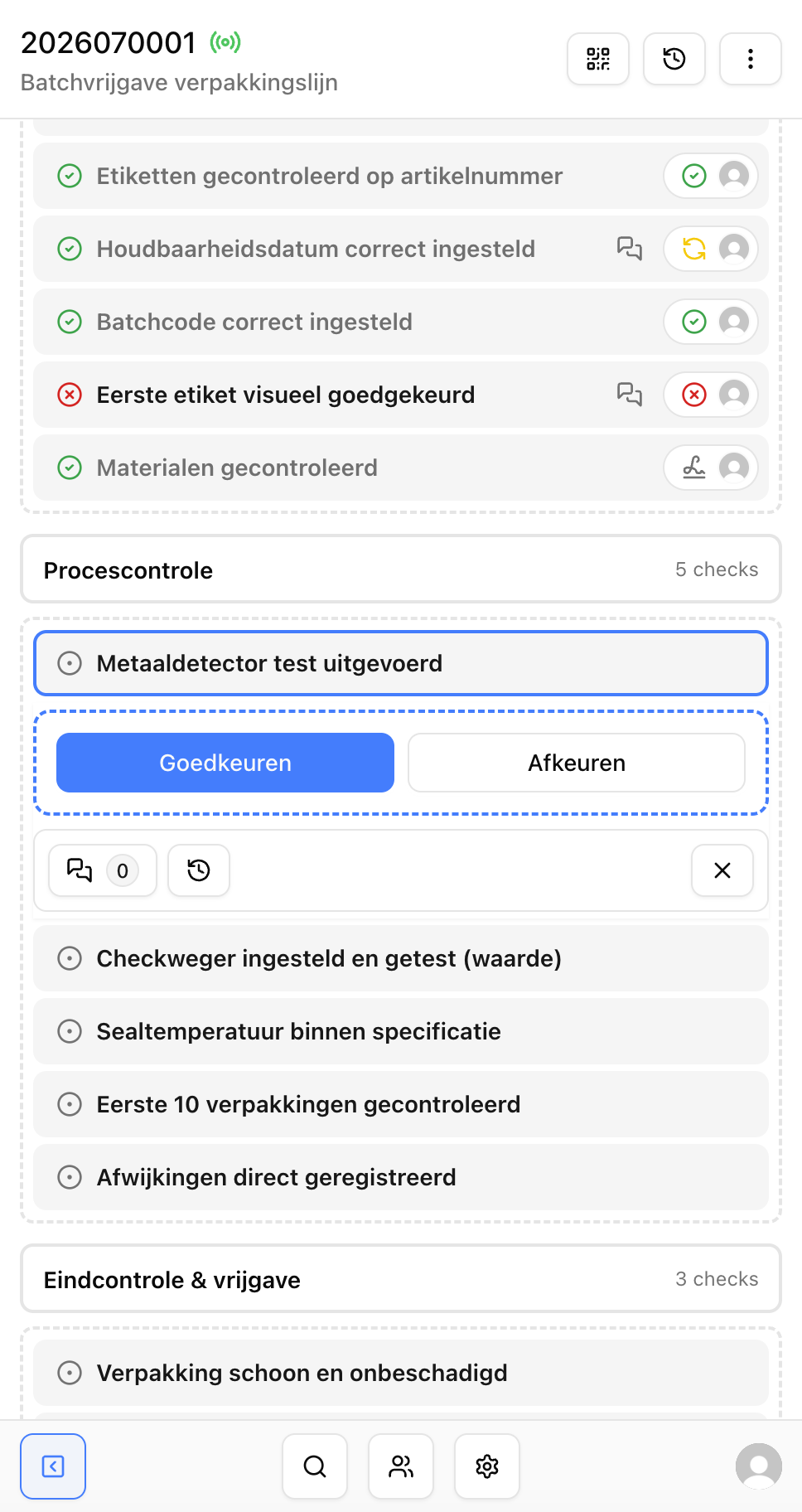
Auditors are not always working behind a desk. Audits often take place on the work floor, at a customer's site, or across multiple locations. A digital checklist should therefore work well on a mobile device.
Keep the following in mind:
- use short and clear control points;
- show only relevant follow-up questions;
- make it easy to add photos and attachments;
- reduce duplicate data entry;
- make the audit status easy to understand;
- provide access to relevant procedures and documents.
The easier the execution, the more complete the registration.
How Checklab supports digital audits
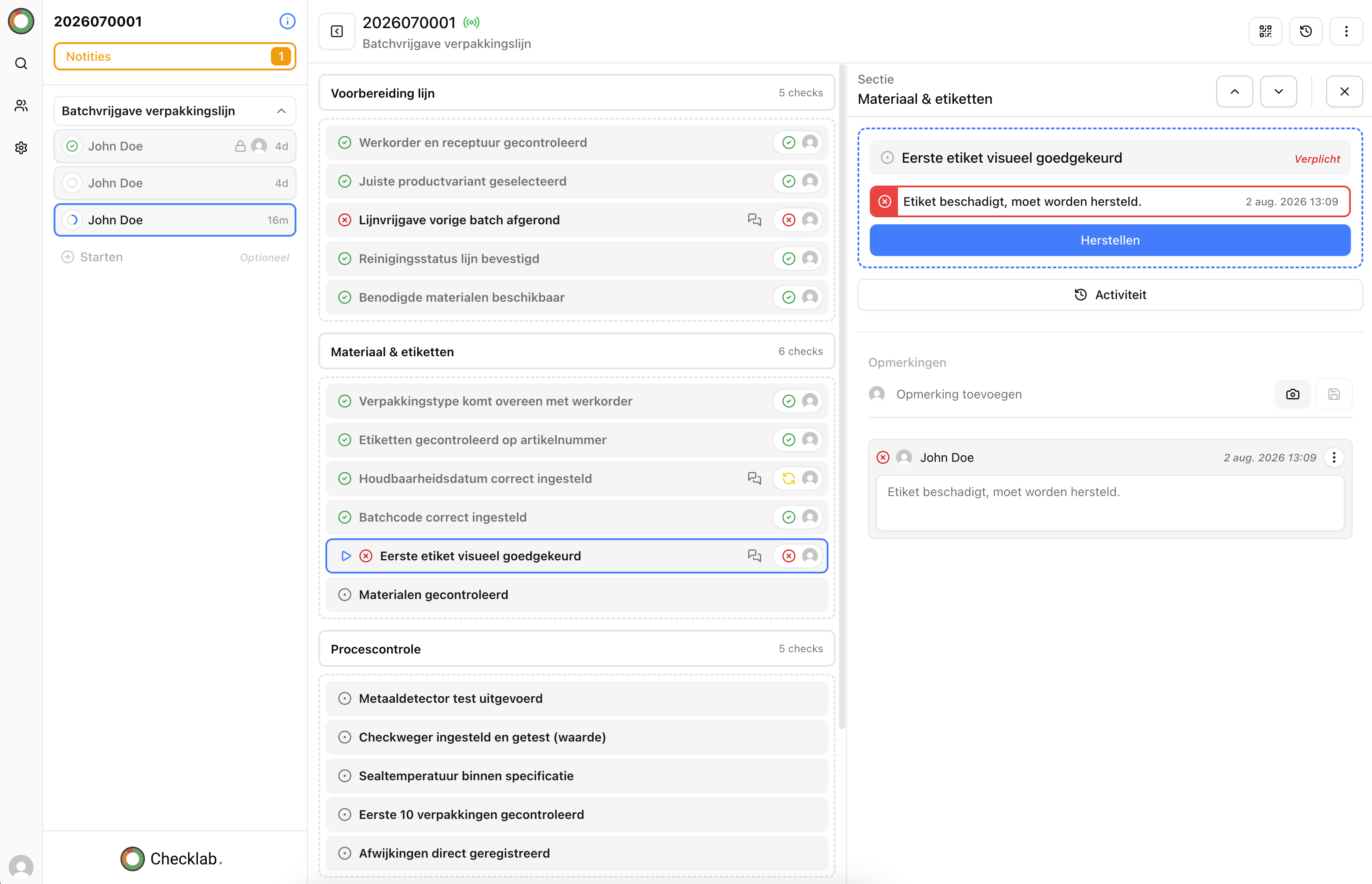
With Checklab, you can digitalize audit checklists, findings, evidence, and improvement actions in one clear process. You configure audits around your own standards, procedures, and ways of working.
Checklab helps you to:
- manage audit checklists centrally;
- perform inspections consistently;
- capture evidence immediately;
- record deviations and observations;
- assign actions automatically or manually;
- make reporting and follow-up visible.
This makes audit information part of the daily quality process instead of a separate project that only receives attention around an audit date.
Conclusion
Digitalizing audits is not only about replacing paper. It is about creating a better way of working: clear criteria, consistent inspections, accessible evidence, and structured follow-up.
With a digital audit process, organizations gain faster insight into risks and improvement opportunities. Audits become easier to perform and deliver more value for continuous improvement.
Want to discover how to digitalize your audits? Contact us to schedule a Checklab demonstration.